If you’re choosing a lockdown alert system for a school, hospital, office or venue, you’ll find four broad types: audible lockdown alarms, PA and voice systems, mobile apps and SMS, and on-screen alerts. Each does one job well and leaves gaps elsewhere.
This guide compares them honestly, including where our own product, PopAlert, fits and where it doesn’t, so you can decide what your site needs.
What a Lockdown Alert System Needs to Do
Whatever you choose, judge it against the same questions:
- Speed: can anyone authorised raise the alert in seconds, from where they are?
- Reach: does it reach every room, building and outdoor area, including noisy and remote spaces?
- Clarity: will people know it means lockdown, not fire, and know what to do?
- Updates: can you send follow-up information and a clear All Clear?
- Reliability: does it depend on mobile signal, the internet or people checking their phones?
- Drills: can you test it regularly without causing alarm?
These are also the questions behind the communication procedure that Martyn’s Law requires.
1. Audible Lockdown Alarms
Dedicated alarm systems with sirens or tones, triggered by call points, push buttons or fobs. Wireless systems such as Alertex can be installed without major wiring.
Strengths: immediate, attention-grabbing, and covers outdoor areas and large sites well. Simple for anyone to trigger.
Weaknesses: a sound is a signal, not an instruction. It must be clearly different from the fire alarm, and it can’t explain what is happening or send updates. Sirens can be hard to hear indoors if sounders are only fitted outside, and they don’t help people with hearing impairments.
Best for: the first, unmistakable signal across a whole site.
2. PA and Voice Announcement Systems
Existing public address systems, tannoys or bell systems with voice capability.
Strengths: can carry a spoken instruction, and many sites already have one.
Weaknesses: depends on someone reaching the microphone and staying calm under pressure. Easily missed in noisy rooms, sports halls, kitchens and corridors. Nothing remains for people who missed it, and an announcement heard by everyone, including any attacker, can reveal your plan.
Best for: supporting a primary alert with spoken detail, where coverage is good.
3. Mobile Apps and SMS
Mass-notification apps and text messaging services that send alerts to staff phones.
Strengths: reaches staff wherever they are, including off site. Can carry detailed written instructions, and some apps allow staff to report back.
Weaknesses: phones are often in bags or on silent, especially in classrooms and clinical areas. Messages can be delayed when mobile networks are congested or signal is weak inside buildings. Visitors and anyone without the app won’t get the alert.
Best for: follow-up messages, off-site staff and two-way check-ins.
4. On-Screen Alerts
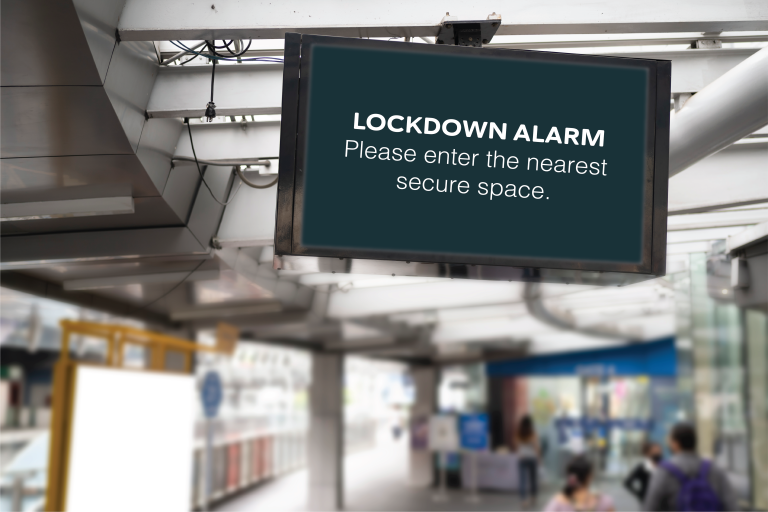
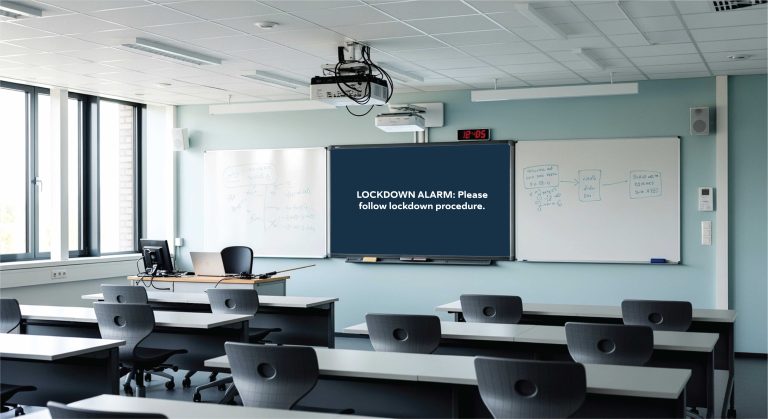
Software that takes over computer screens and digital signage with a full-screen alert. This is the category PopAlert is in.
Strengths: a written instruction appears in front of people at their desks, in classrooms and on corridor screens, so there’s no doubt about what to do. It can be paired with a distinct alert tone. Updates and the All Clear appear in the same place.
Weaknesses: only reaches people near a screen. It doesn’t cover playgrounds, car parks or outdoor areas, and someone walking a corridor without a screen won’t see it.
Best for: clear instructions indoors, where most people are near a computer or display.
Side-by-Side Comparison
| Audible alarm | PA / voice | App / SMS | On-screen alert |
|---|
| Speed to trigger | Seconds | Depends on reaching the mic | Seconds | Seconds |
| Tells people what to do | No (signal only) | Yes, spoken | Yes, written | Yes, written, full screen |
| Outdoor coverage | Strong | Where speakers are fitted | Anywhere with signal | None |
| Works in noisy rooms | Usually | Often missed | If the phone is seen | Yes, visual |
| Reaches visitors | Yes | Yes | No | Only near screens |
| Live updates and All Clear | Limited | Yes | Yes | Yes |
| Depends on mobile network | No | No | Yes | No (local network) |
Why Most Sites Combine Two Methods
No single method covers every requirement. The combination we see work best is an audible signal for the whole site, including outdoor areas, plus a written instruction on screens indoors, so people know exactly what the alarm means and what to do. Apps or SMS then add follow-up for staff off site.
This was the approach at an independent school in Essex: its outdoor sirens couldn’t be heard inside many buildings, so PopAlert added the indoor alert on corridor screens and staff computers. PopAlert also integrates with Alertex, so raising the Alertex alarm also puts the instruction on every screen. If you need audible lockdown alarms installed, our sister company A-Squared Alarms supplies and fits lockdown alarm systems.
Questions to Ask Any Supplier
- How is the alert triggered, and by whom? How quickly does it reach everyone?
- What happens if the internet or mobile network is down?
- Can users dismiss or ignore the alert?
- Can we send updates and an All Clear from the same system?
- Can we run drills, and is there a record of alerts sent?
- Does it integrate with the alarms and access control we already have?
- What does installation involve, and will it disrupt the site? See what PopAlert installation involves.
See PopAlert in Action
PopAlert runs on your local network, appears full screen on every connected computer and screen, can’t be dismissed by users, and offers 32 built-in sirens so the tone is never confused with your fire alarm. Try the interactive demo, read how it works, or book a demo to talk through your site.