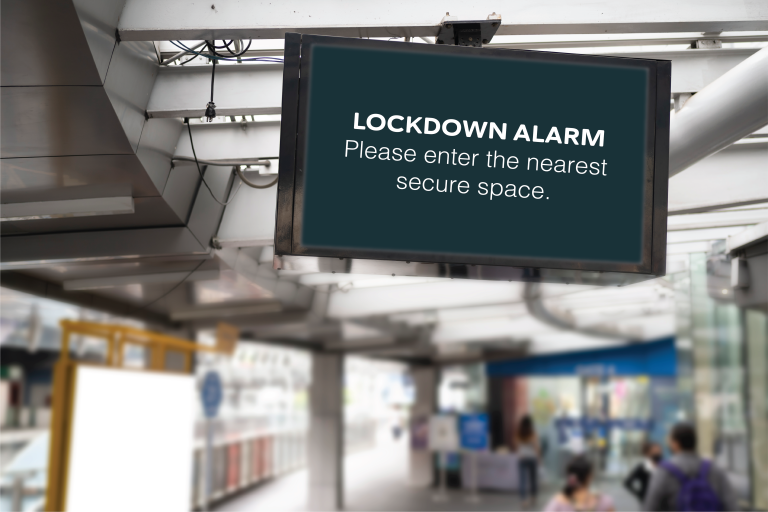
When an incident starts, the first minute matters most. Here’s exactly what happens when someone raises an alert with PopAlert, from the moment it’s triggered to the moment the system is ready again.
Step 1: The Alert Is Triggered
PopAlert can be triggered in whichever way suits your procedures:
- a desktop button on an authorised member of staff’s computer;
- the secure admin dashboard;
- a physical trigger, such as a panic button, via relay input;
- integrated systems, such as an Alertex lockdown alarm or access control.
Role-based permissions control who can trigger which alerts, so the right people can act fast and nobody else can raise one by accident.
Step 2: The Control Unit Sends It Out
The PopAlert control unit, installed in your building, sends the alert across your local network to every connected computer, typically within seconds, without needing the internet.
Step 3: Every Screen Shows the Instruction
On every connected computer, the alert appears full screen, on top of whatever was open: a presentation, a spreadsheet or a full-screen video. It shows a clear, pre-written instruction such as lockdown, evacuation, invacuation or a custom alert. Users can’t close it.
Step 4: A Distinct Sound Plays
Each alert type can have its own tone, chosen from 32 built-in sirens, so a lockdown never sounds like your fire alarm. The alert timer controls how long the alert stays visible, so it isn’t missed during busy moments.
Step 5: Live Updates as Things Change
Incidents develop. Administrators can send live custom messages to every screen, for example “Remain in lockdown. Police are on site.”, so people aren’t left guessing.
Step 6: The All Clear
When it’s safe, authorised staff issue the All Clear, which appears on every screen, so nobody ends a lockdown early because of a rumour or a knock on the door.
Step 7: Reset and Ready
The system resets and returns to standby, ready for the next alert or the next drill. Alerts are logged, which helps when you review the incident or show governors and auditors that your procedures are tested.
Try It Yourself